
The Field Service App Built for General Contractors on HubSpot
ServiceIQ is the only field service management platform with native, bi-directional HubSpot integration. Dispatch jobs, manage subcontractors, track RFIs and submittals, and sync every field update back to your HubSpot CRM, automatically.
Purpose-built for general contractors, construction firms, and field service organizations that already use HubSpot as their source of truth.
What Is Field Service Management?
Field service management (FSM) is the coordination of a company's field operations, including scheduling and dispatching workers, tracking job status, managing work orders, and ensuring customer satisfaction, all from a centralized platform.
For general contractors, FSM extends beyond basic dispatching. It encompasses project governance (RFIs, submittals, document control), subcontractor management (onboarding, scheduling, time tracking), and stakeholder approvals (landlord sign-offs, architect reviews, owner approvals).
When your CRM is HubSpot, the challenge is even greater: most FSM tools don't integrate with HubSpot at all, forcing GCs to maintain parallel systems and manually transfer data between sales and operations. ServiceIQ solves this.
Why General Contractors Need a HubSpot-Native Field Service App
HubSpot is where your customer relationships live. But once a deal closes and field work begins, most GCs lose visibility. ServiceIQ bridges the gap.
CRM-to-Field Visibility Gap
Your sales team closes deals in HubSpot, but operations runs on spreadsheets, texts, and whiteboards. ServiceIQ closes this gap with real-time sync.
Double Data Entry Kills Productivity
Without integration, PMs re-enter customer info, job details, and status updates manually. ServiceIQ eliminates double entry with bi-directional sync.
No End-to-End Reporting
When sales and ops data live in silos, you cannot measure deal-to-completion metrics. ServiceIQ feeds field data back to HubSpot for full-funnel reporting.
Field Service Management Features for General Contractors
ServiceIQ goes beyond basic FSM. Every feature was designed for the unique workflows of general contractors managing multi-trade, multi-site operations.
Dispatch, Schedule, and Track Every Job
From the moment a project kicks off, ServiceIQ gives you full control over job creation, assignment, scheduling, and real-time status tracking, all synced to HubSpot.
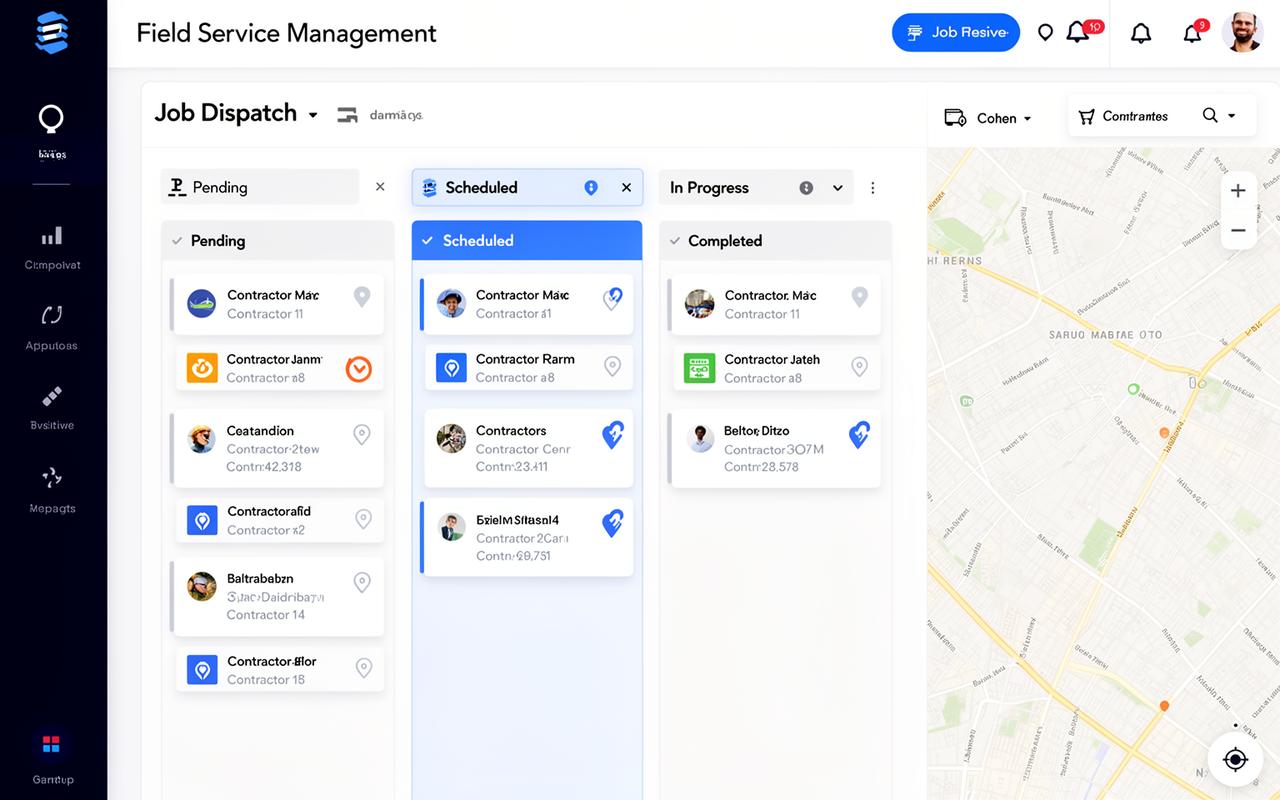
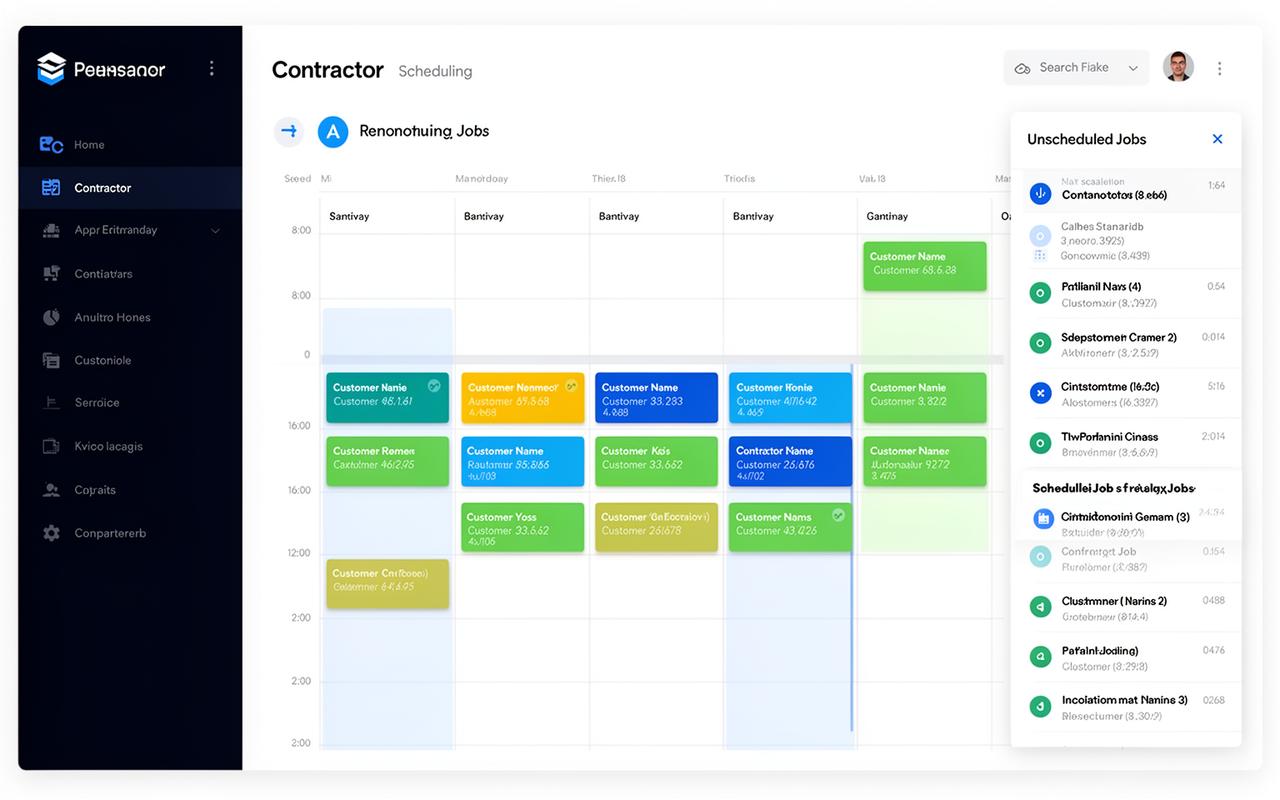
Drag-and-Drop Scheduling
Visual calendar with weekly and monthly views. Assign jobs to contractors by dragging from an unscheduled queue.
Map-Based Dispatch
See all active jobs on a map with territory overlays. Route technicians efficiently across job sites.
Time Tracking & Clock In/Out
Contractors clock in and out directly from the job detail page. Time entries feed into reporting automatically.
Visual Scheduling That Actually Works
No more back-and-forth phone calls. ServiceIQ's scheduling calendar gives dispatchers a clear picture of contractor availability, job conflicts, and capacity, at a glance.
Multi-Contractor Views
See all contractors side-by-side in the weekly calendar. Quickly identify who is available and where.
Automatic Notifications
Contractors receive instant notifications when jobs are assigned, rescheduled, or updated.
Skill-Based Assignment
Filter contractors by trade, territory, and skills to assign the right crew to every job.
Built for the Job Site, Not Just the Office
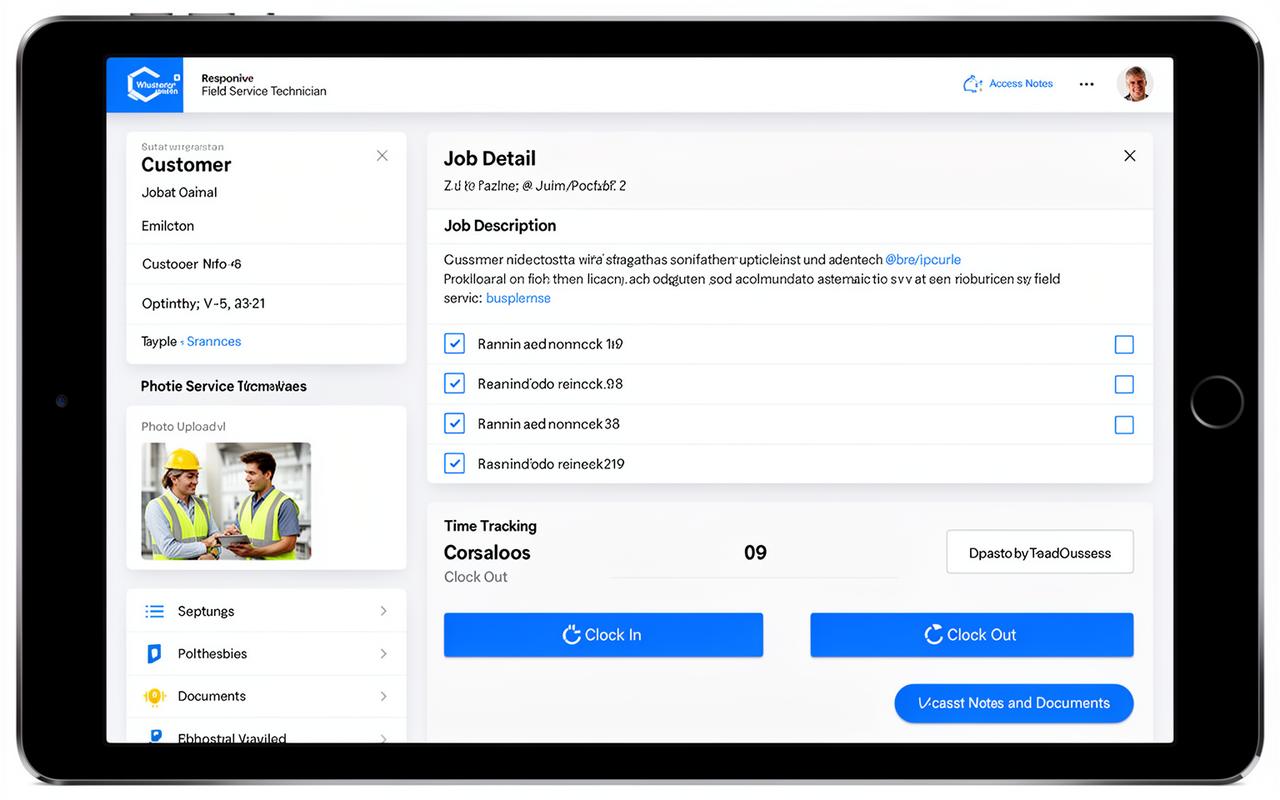
Your technicians and subcontractors need a tool that works on a phone in the field. ServiceIQ's responsive interface gives field teams exactly what they need, nothing more.
Digital Checklists
Custom checklists per job type ensure nothing gets missed. Mark items complete in real time.
One-Tap Time Tracking
Clock in, clock out, and add notes: all from the job detail screen. No separate timekeeping app needed.
Photo & Document Upload
Capture site photos, upload receipts, and attach documents directly to the job record.
How ServiceIQ Integrates with HubSpot CRM
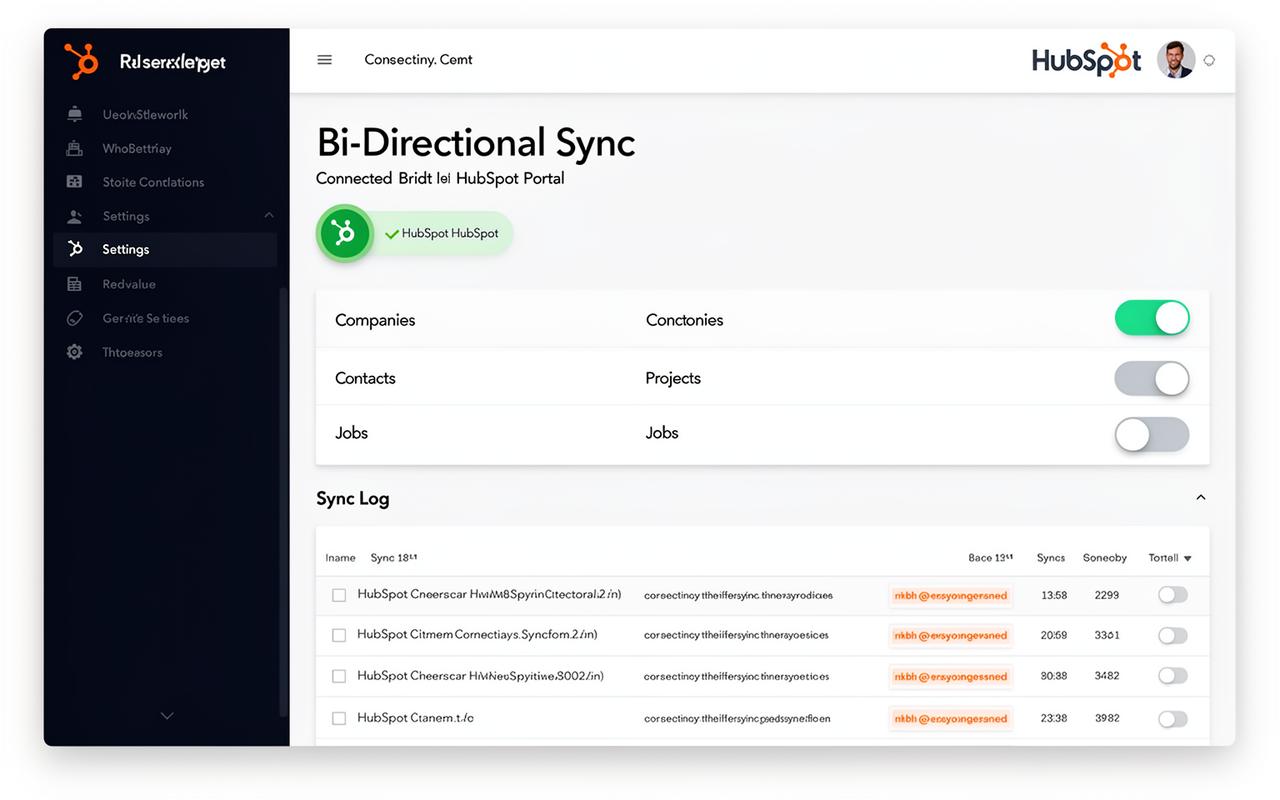
ServiceIQ connects to HubSpot via OAuth with bi-directional sync. No middleware, no Zapier, no custom API work. Here's exactly what syncs and how.
What Syncs Between ServiceIQ & HubSpot
Companies ↔ Customers
HubSpot companies map to ServiceIQ customers. Create a customer in either system and it appears in both, with name, address, phone, and email synced.
Contacts ↔ Contractors
Contractors sync as both HubSpot contacts and companies. First name, last name, email, phone, and skills stay in sync across platforms.
Custom Objects ↔ Projects
ServiceIQ projects sync to HubSpot as custom objects, giving your sales team visibility into active projects directly from the CRM.
Job Status → HubSpot Timeline
Every job status change (scheduled, in progress, completed, blocked) is pushed to HubSpot, creating a complete field operations timeline.
Deal Pipeline → Project Creation
Optionally auto-create ServiceIQ projects when HubSpot deals reach a specific pipeline stage, no manual handoff needed.
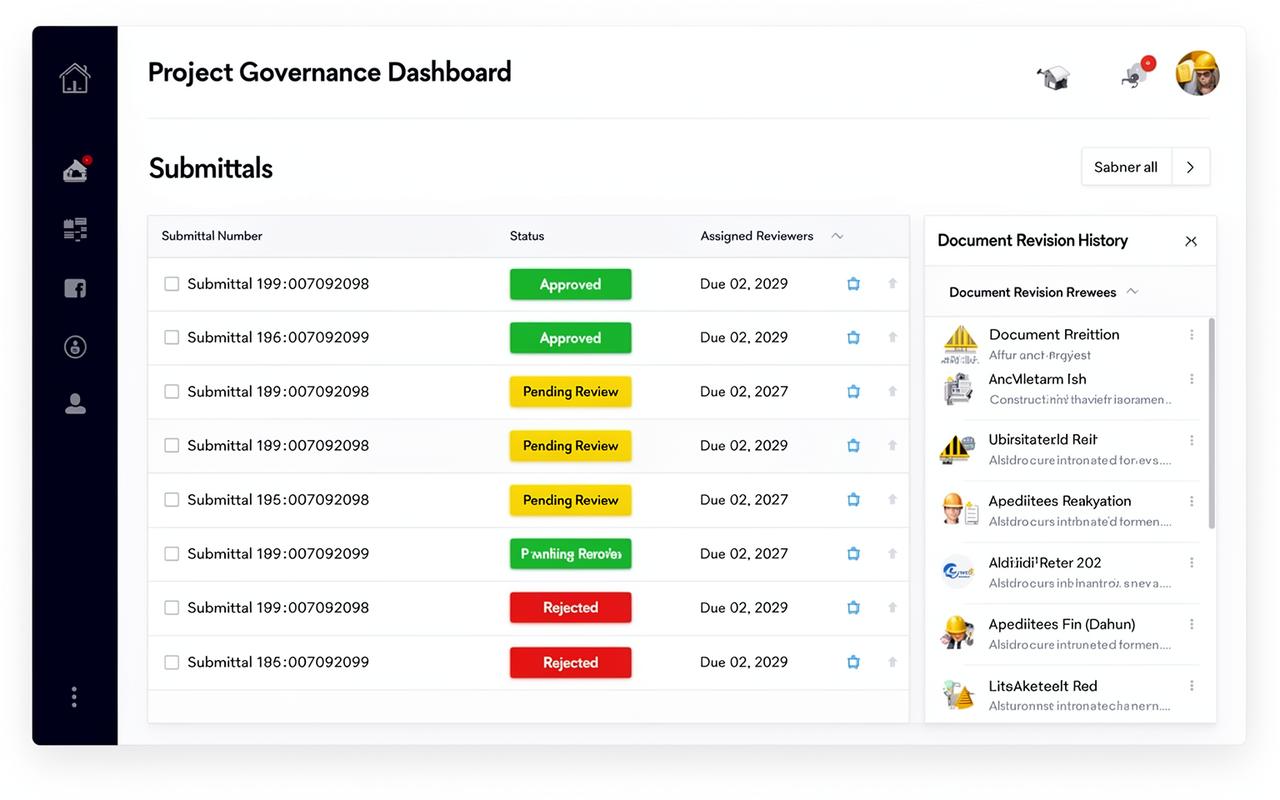
RFIs, Submittals, and Document Control
General contractors live and die by document control. ServiceIQ provides construction-grade governance features that Salesforce Field Service and other generic FSM tools simply don't offer.
Manage Your Entire Subcontractor Network
ServiceIQ gives GCs a centralized hub for onboarding, scheduling, and tracking subcontractors, with a dedicated portal so subs can self-serve.
Contractor Profiles
Store contact info, skills, certifications, hourly rates, and notes for every sub in your network.
Territory Assignment
Assign contractors to geographic territories with map overlays for smart dispatching.
Dedicated Contractor Portal
Subs log in to see their assigned jobs, update status, clock time, and upload site photos, without accessing your full system.
Partner Organizations
Support multi-org partnerships where partner companies can view and approve jobs across shared projects.
Performance Tracking
Track completion rates, response times, and job quality across your contractor network.
HubSpot Contractor Sync
Contractors sync to HubSpot as both contacts and companies, maintaining your CRM as the single source of truth.
ServiceIQ vs. Other Field Service Apps
See how ServiceIQ compares to Salesforce Field Service, Jobber, ServiceTitan, and other popular FSM platforms for general contractors using HubSpot.
| Feature | ServiceIQ | Salesforce FSL | Jobber | ServiceTitan |
|---|---|---|---|---|
| Native HubSpot Integration | — | — | — | |
| Bi-Directional CRM Sync | — | — | ||
| RFI & Submittal Tracking | — | — | — | |
| Document Version Control | — | — | — | |
| Subcontractor Portal | — | — | ||
| Multi-Org / Partner Support | — | — | — | |
| Guest Approval Workflows | — | — | — | |
| Territory Management | — | — | ||
| Built for General Contractors | — | — | — | |
| Starts Under $1,000/mo | — | — |
Simple Pricing for Growing GCs
No per-user fees, no hidden charges. Choose the plan that fits your team.
Starter
For small GC teams getting started
- Up to 10 contractors
- Up to 5 users
- Unlimited projects & jobs
- HubSpot integration
- Document management
- Email support
Professional
For growing organizations
- Unlimited contractors
- Unlimited users
- Unlimited projects & jobs
- HubSpot bi-directional sync
- Advanced approval workflows
- Priority support
- Multi-org / partner support
Enterprise
For billing commercial work
- Everything in Professional
- Branded customer portal
- AIA-style progress billing & contracts
- AIA-style pay applications (G702/G703)
- Retainage & schedule of values
- Dedicated onboarding
HubSpot Bi-Directional Sync add-on: $50/month per additional HubSpot instance. View full pricing details →
Frequently Asked Questions
Stop Duct-Taping Your CRM to Your Field Ops
ServiceIQ is the only field service app that speaks HubSpot natively. Start your free trial today, no credit card required.